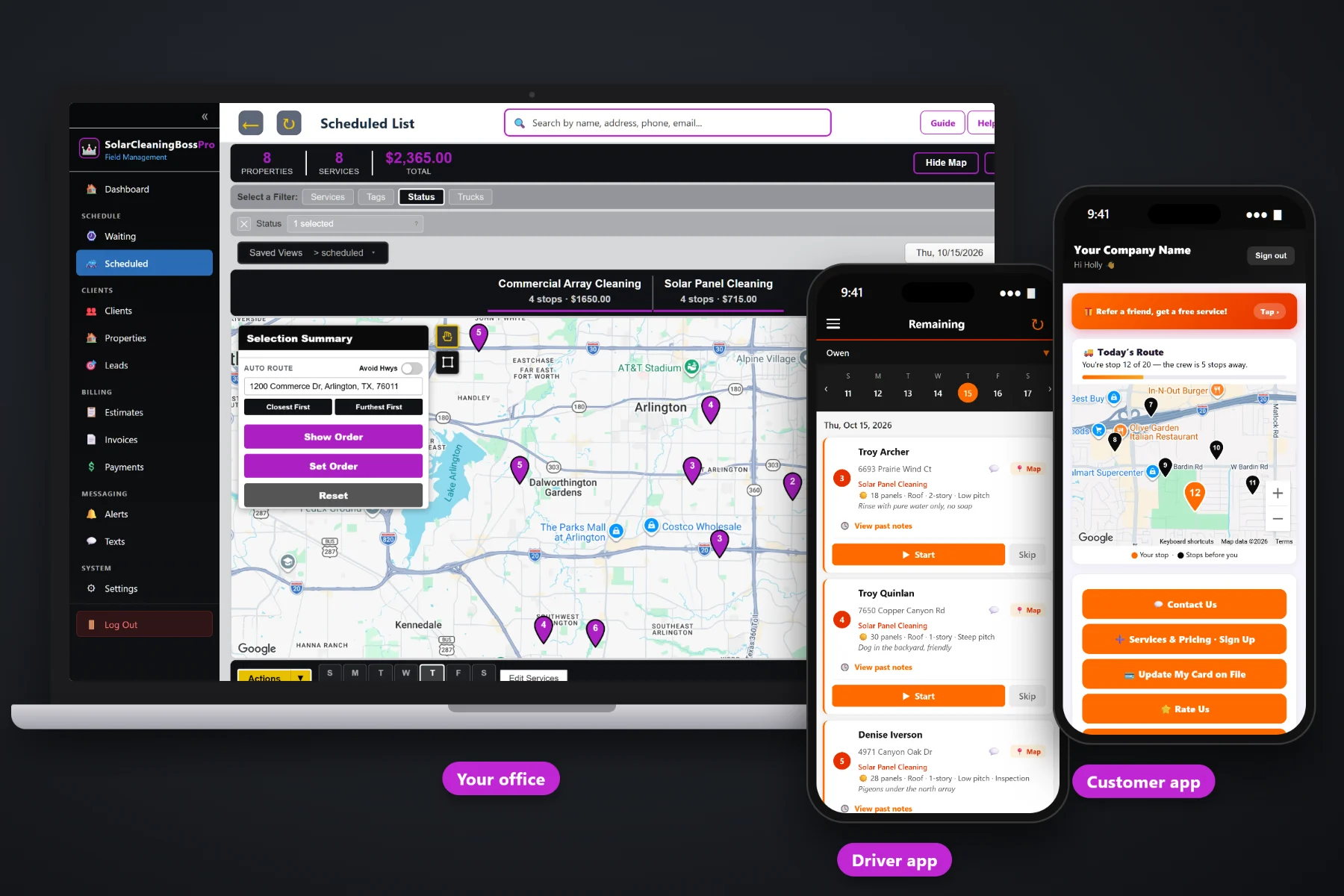
A solar cleaning invoice is more than one number. It is a panel count, a minimum charge for small systems, an add-on for a two-story or steep roof, bird proofing priced per panel, critter guards and maybe an inspection. SolarCleaningBossPro builds the invoice from the job, adds your sales tax, charges the card on file when the tech taps Complete, lets customers pay online from the customer app, follows up on past-due invoices, and sends property owners with many buildings one statement a month.
Plans start at $59/month, and invoicing, card on file, online payment and monthly statements are part of every plan. To see how billing fits with the Waiting List, routes, quotes and the tech app, start at SolarCleaningBossPro and then dig into the money side here.
Panels, minimum charge, story and pitch add-ons, bird proofing, critter guards and inspection come off your service list as line items.
Cards captured on the sign-up form or in the customer app stay on file, so nobody reads a card number over the phone.
When the tech taps Complete, the invoice is created and the card on file can be charged before the truck leaves the street.
Customers see their invoices, pay online and update their card from the same app that shows the crew on the way.
Property owners set to Monthly get one statement covering every building, each line labeled with its address.
Unpaid invoices get followed up by text and email, so the office is not keeping a list on a sticky note.
Whoever quoted the system already counted the panels, noted the mount and the roof, and asked about birds. SolarCleaningBossPro keeps those panel details on the job, so the invoice lists the same things the customer approved: so many panels at your per-panel price, the add-on for the second story, the mesh that went around the array. No mystery totals, no “service fee” nobody can explain.
Most solar cleaning owners did not start the business to sit at a kitchen table writing invoices at night. SolarCleaningBossPro asks you to set your prices once and capture a card up front. After that, finishing the job is what bills the job.
Per-panel price, minimum charge, story and steep-pitch add-ons, bird proofing per panel, critter guards, inspection and your sales tax.
The website sign-up form captures a card, and customers can add or update one in the customer app at any time.
The invoice is built from the job and the card on file can be charged right then, or on a schedule you choose.
Customers pay unpaid invoices in the app, past-due invoices get followed up, and monthly accounts get one statement.
Generic field-service software gives you a blank invoice and a price box. A solar cleaning job is a panel count, a mount, a roof height, a pitch and a set of extras. When the invoice does not know any of that, someone types it in by hand, and that someone is usually the owner at 10pm.
Ask any solar cleaning owner how billing really goes and you will hear the same story: a stack of jobs finished on Tuesday that did not get invoiced until Sunday, a customer who swears the quote said twenty panels when the roof had thirty, and a bird-proofing job where nobody wrote down how many panels got mesh. A check that never came. A card number scribbled on the back of a quote. A property owner with six buildings who got six separate invoices and paid four of them.
The panel count, the add-ons and the card belong with the job, not on a clipboard. When they are, finishing the job is what bills the job, and the money arrives while the work is still fresh in the customer's mind.
SolarCleaningBossPro keeps the quote, the job, the invoice and the payment in one place, from the first estimate to the paid statement.
Every tool here exists to get finished work paid for faster, with fewer phone calls, fewer write-offs and fewer nights spent on paperwork.
Each invoice lists the work in plain words, priced from your own service list.
Panel count comes from the job, so the cleaning line matches the system on the roof.
Small systems still pay for the truck, the water and the ladder.
Two-story, three-story and steep roofs carry their own line, so harder work is billed fairly.
Priced per panel or per job and listed separately from the cleaning.
Sell a visual inspection with the cleaning and show it as its own item.
Set your rate once and every invoice carries it the same way.
Captured on the sign-up form or added by the customer in their app.
Charge when the tech taps Complete or on a schedule you set.
Customers see invoices and pay from the customer app.
A declined card gets replaced by the customer in the app, not read over the phone.
Unpaid invoices get followed up by text and email.
One statement a month for owners with many buildings, every line labeled with its address.
Bill customers in the US, Canada, Australia, New Zealand and the UK in their own currency.
See what was billed, what was paid and what is still out.
Start $59, Pro $89 and Crew $199 per month, with billing on every plan.
An apartment owner, a business park or a school district can have arrays on a dozen roofs, cleaned on a quarterly plan. Set that client to Monthly and SolarCleaningBossPro sends one statement each month covering every site cleaned, with each line labeled by address. Their bookkeeper pays one bill, and you stop chasing six. For a full walkthrough of invoicing, payment and statements, read Solar Cleaning Billing Software: The Complete Guide to Invoicing and Getting Paid for Panel Cleaning.
The customer app that shows the crew on the way also holds the money side. Customers see their invoices, pay online, and replace an expired or declined card themselves. When a card fails, the customer fixes it in the app instead of reading sixteen digits to your office. Questions come back to the office through two-way texting, with the job, the photos and the invoice all in one place.
Pick the plan that fits your operation. Every plan starts with a 14-day free trial and no credit card.
Compare plans on the pricing page.
Line items from your own service list: the panel cleaning at your per-panel price (with a minimum charge for small systems), story and steep-pitch add-ons, bird proofing, critter guards and inspection, plus your sales tax. The panel details come from the job, so the invoice matches what was quoted and cleaned.
Yes. When a card is on file, it can be charged when the tech taps Complete or on a schedule you set. The card is captured on the website sign-up form or added by the customer in the customer app.
The invoice stays open, and the customer can update their card in the customer app and pay there. Past-due invoices get followed up by text and email so the office is not tracking them by hand.
Yes. Set the client to Monthly and they get one statement each month covering every building or site cleaned, with each line labeled by its address.
Many operators send a separate invoice for a deposit when the estimate is approved and collect it before the install day. It is your policy, run with ordinary invoices, and the final invoice shows the balance.
Start is $59/month, Pro is $89/month, and Crew is $199/month. Billing is on every plan, and every plan starts with a 14-day free trial with no credit card.
Billing is one piece of how SolarCleaningBossPro runs a solar cleaning company. For the Waiting List, routes, quotes, the tech app and commercial arrays, see the full SolarCleaningBossPro platform overview.
Practical reading on invoices and line items, minimum charges and add-ons, card on file, auto-charge, deposits, declined cards, past-due follow-up, sales tax, monthly statements, commercial arrays, cash flow, reports and choosing billing software.
Invoices built from the panel details, card on file charged at completion, online payment in the customer app and one statement for every site. Try SolarCleaningBossPro free for 14 days.